I don't think it's a secret that I love Coralogix and I also love NextJS. I run quite a few NextJS apps on Vercel and I wanted to send my backend logs to Coralogix so I can correlate trace data to log data. It turns out that Vercel has "Logdrains" which can send your logs to a webhook endpoint. The problem is the format is not Coralogix compatible so I whipped up a little bridge application to transform the data and send it to Coralogix. Here's how it works and how you can use it yourself.
§The Problem
I have logs in Vercel and I need them in Coralogix. The logs can be shipped to a webhook using the logdrain function in Vercel. The data isn't easily transferable to Coralogix though. So we'll need a way to extract what's important and then create a new json object to send to Coralogix with the correct attributes like application and subsystem.
§The Solution
I decided to create a simple express app that does all the work and then package it into a Docker image.
§tl;dr:
If you just want to run it, use Docker:
docker run -p 8080:8080 \
  -e LOG_DRAIN_SECRET=your-log-drain-secret \
  -e CORALOGIX_KEY=your-coralogix-key \
  -e CORALOGIX_INGRESS_URL=https://ingress.us1.coralogix.com/logs/v1/singles \
parabuzzle/vercel-to-coralogix-bridge:latest§The Repo
You can read the code here on GitHub
Basically the way it works is that it accepts the logdrain data from Vercel and reformats it.
It creates the proper Coralogix attributes and formats a flat object like this:
{
  "id": "1573817250283254651097202070",
  "timestamp": 1573817250172,
  "deploymentId": "dpl_233NRGRjVZX1caZrXWtz5g1TAksD",
  "host": "my-app.vercel.app",
  "projectId": "gdufoJxB6b9b1fEqr1jUtFkyavUU",
  "requestId": "643af4e3-975a-4cc7-9e7a-1eda11539d90",
  "executionRegion": "sfo1",
  "level": "info",
  "projectName": "my-app",
  "source": "lambda",
  "branch": "main",
  "environment": "production",
  "type": "stdout",
  "statusCode": 200,
  "message": "API request processed",
  "traceId": "1b02cd14bb8642fd092bc23f54c7ffcd",
  "spanId": "f24e8631bd11faa7",
  "traceparent": "00-1b02cd14bb8642fd092bc23f54c7ffcd-f24e8631bd11faa7-01",
  "method": "GET",
  "path": "/api/users?page=1",
  "proxyStatusCode": 200,
  "userAgent": "Mozilla/5.0...",
  "clientIp": "120.75.16.101",
  "region": "sfo1",
  "scheme": "https",
  "vercelCache": "MISS"
}
For the full reference you can read about the log formatting here
§Configuring the Bridge
IMPORTANT! VERCEL WILL ONLY SEND LOGS TO AN HTTPS ENDPOINT, YOU MAY NEED TO RUN A PROXY LIKE CADDY TO SERVE A PROPER SECURE ENDPOINT
There are some required environment variables and some optional ones.
§Required Variables
LOG_DRAIN_SECRET- the secret that Vercel gives you (covered below)CORALOGIX_KEY- your api key for sending log dataCORALOGIX_INGRESS_URL- your ingress url (find them here)
§Optional Variables
CORALOGIX_APPLICATION_NAME- This will set the application name of all logs from the bridge (default isVercel)USE_PROJECT_NAME- If this is set totrueit will override the application name with the VercelProjectNameDEBUG- if set totrueproduces a lot of noise on your console
§Setting Up Your Log Drain
It's pretty straightforward. Just navigate to your organization settings in Vercel and click on "Drains".
Then choose "logs"
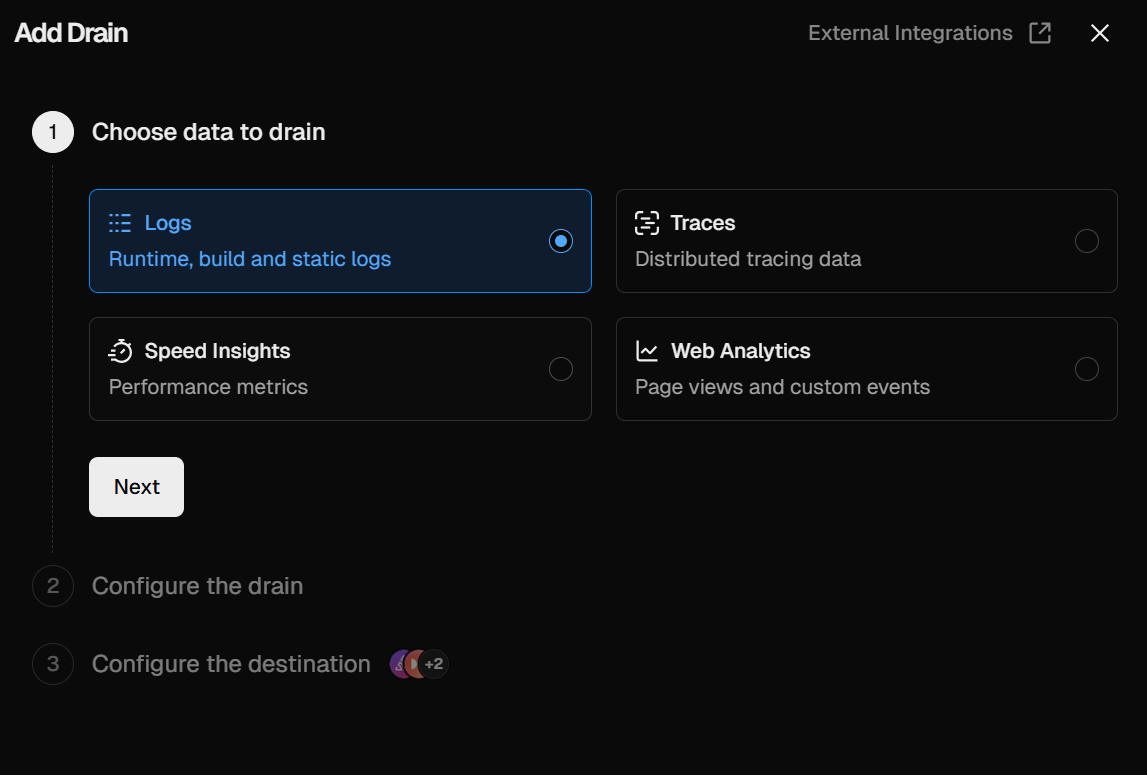
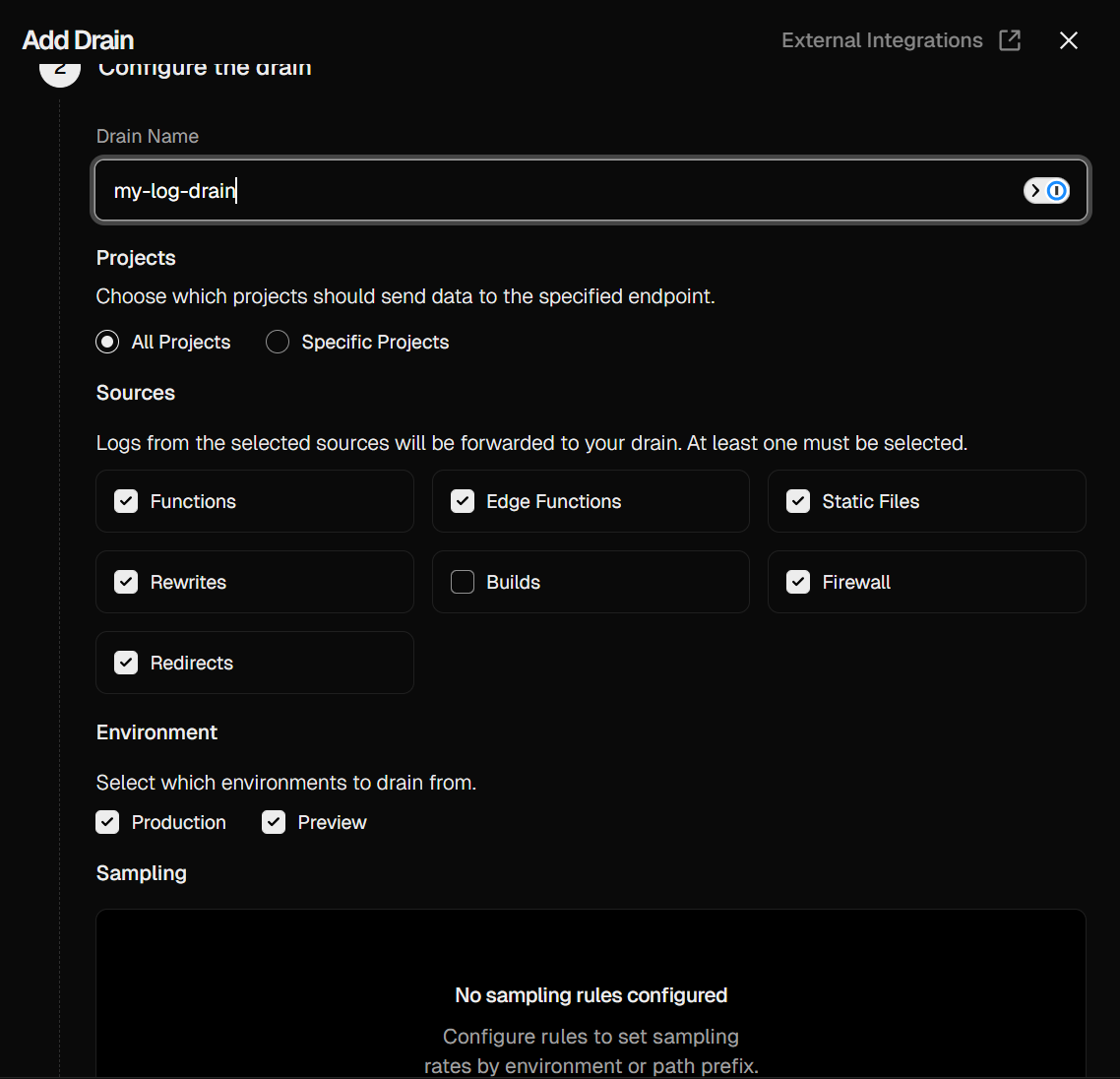
After that you click next and choose which projects and functions you want sent.
Lastly you will set your webhook url and get your security token which you'll need to set as LOG_DRAIN_SECRET
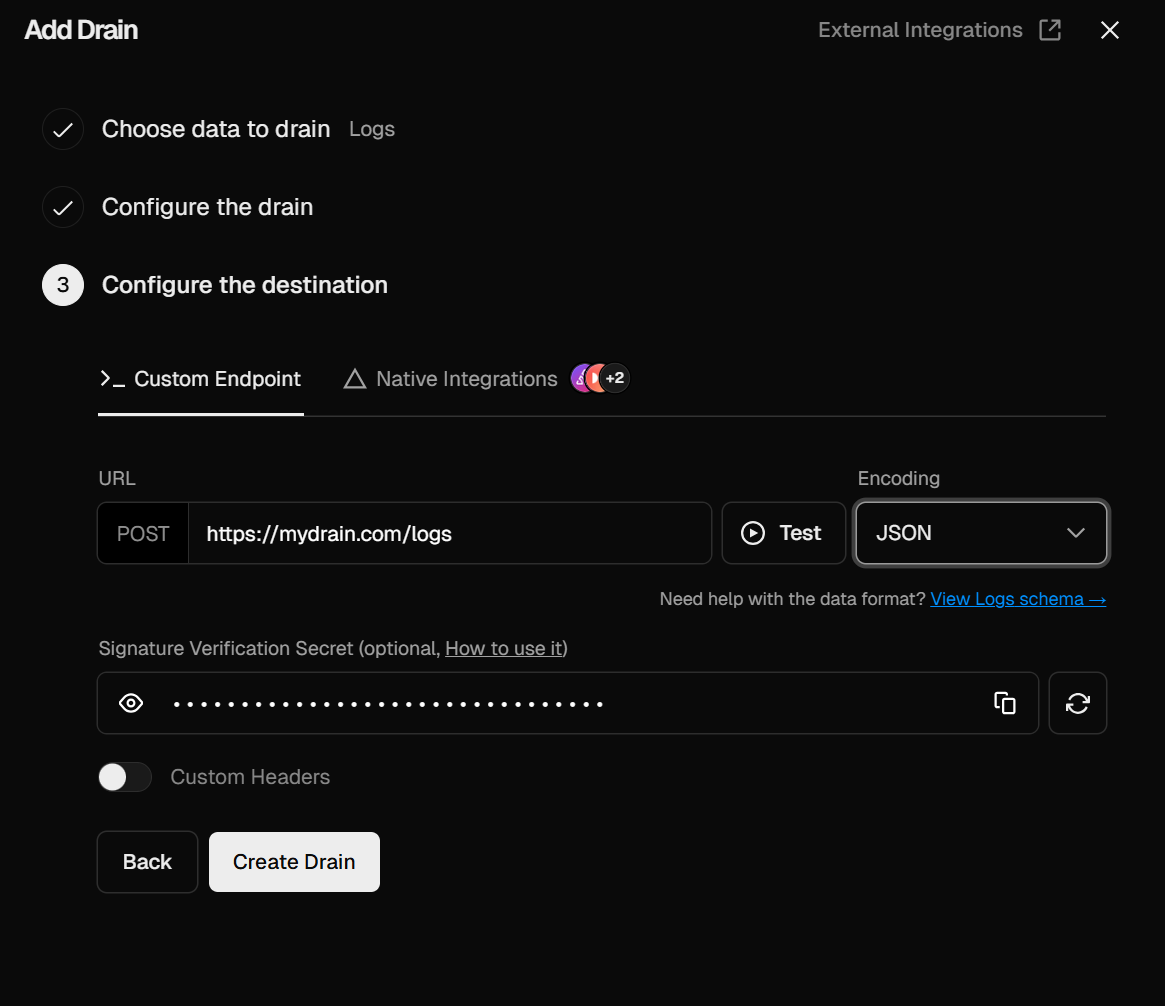
Pretty straightforward. You can click "Test" to make sure everything is working.
§Conclusion
This was a fun little Saturday morning project that resulted in a pretty fast log drain bridge as a proof of concept. All the code is available on GitHub and is built and deployed to Docker Hub.
I really encourage you to use this as a jumping off point and if you have improvements, I'd love to see the pull requests!
For now, I will be spending the rest of the weekend playing with Otel traces, RUM, and log correlation.